Announcements
In today's world, virtual assistants have become indispensable tools for many people. From doing daily tasks to controlling smart devices, assistants like Alexa they make our lives easier and more productive. If you've ever wanted to have a smart virtual assistant in your pocket, transforming your cell phone into a powerful tool, this is your opportunity. In this guide, we explain how configure Alexa on your smartphone and make the most of its functions.
What is Alexa and how can it help you?
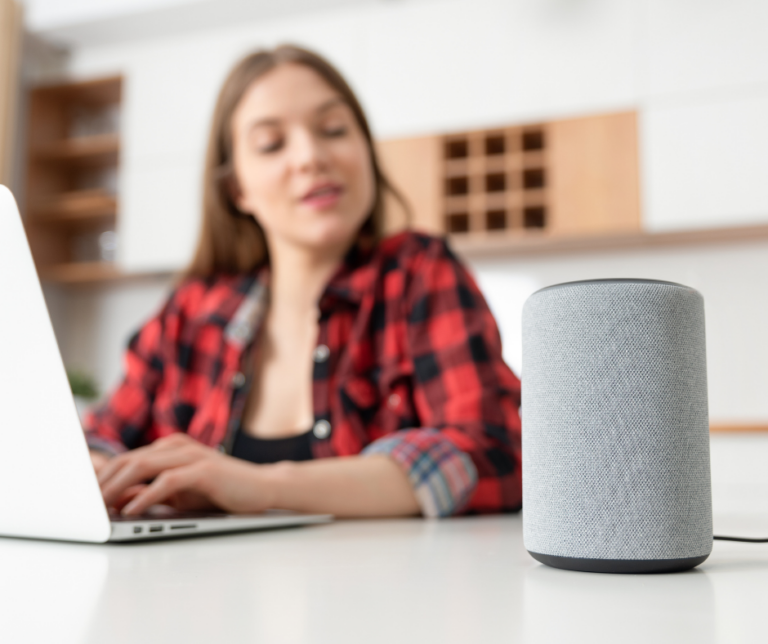
Alexa it is Amazon's virtual assistant, known for its ability to interact with users through voice commands. This artificial intelligence can help you with everyday tasks such as playing music, controlling smart devices in your home, answering questions and much more. Although it is mainly available on devices Echo from Amazon, you can too install Alexa on your cell phone and use it without the need for an additional device. In fact, this is a simple and practical way to integrate a virtual assistant into your daily life, without having to invest in specialized hardware.
Benefits of using Alexa on your cell phone
Use Alexa on your cell phone it offers you several benefits that will improve your productivity and make your life easier. Here we leave you some of the most important:
- Control smart devices from anywhere
If you have smart devices in your home, such as lights, thermostats or security cameras, you can control them directly from your cell phone using Alexa. Only with voice commands, you can adjust the temperature, turn on the lights or even open the doors of your house. - Task and reminder management
Alexa can help you organize your day. You can ask him to add reminders, set alarms, notify you of your appointments or even that read your emails. In this way, it helps you stay aware of your responsibilities and commitments. - Assistance in searching for information
Do you have any urgent questions or concerns? Alexa it can answer questions on almost any topic. From the weather, news, to unit conversions, Alexa is like a search engine that you can check quickly and conveniently. - Interruptible entertainment
You can ask Alexa to play your favorite music, podcasts, audiobooks and more, all without having to touch your cell phone. With streaming applications like Spotify and Amazon Music integrated, Alexa can manage your entertainment content without you having to lift a finger. - Comfort and hands-free
One of the main advantages of having Alexa on your cell phone it is the ability to control everything through voice. This is perfect when you're busy cooking, exercising, or driving. You just have to talk to your cell phone and Alexa will do the tasks for you.
How to configure Alexa on your cell phone
Below, we explain how configure Alexa on your cell phone step by step, whether on devices Android or iOS.
Announcements
For Android devices
- Download the Alexa app
The first thing you should do is download the amazon Alexa app from the Google Play Store. Simply open the store, search for “Amazon Alexa” and press Install. - Sign in with your Amazon account
Once the app is installed, open it and log in with your account Amazon. If you don't have an account, you can easily create one on the spot. - Configure Alexa on your cell phone
After logging in, follow the on-screen instructions to configure Alexa on your cell phone. During this process, you will be asked to enable voice permissions, which will allow Alexa to recognize and respond to your commands efficiently. - Connect smart devices (optional)
If you have smart devices in your home, you can link them to Alexa at this moment. Alexa will guide you through the linking process so you can control everything from your cell phone. - Start using Alexa
Ready! Now you can start using Alexa on your cell phone. You just have to open the application or use it voice command to interact with Alexa. For example, say “Alexa, what's the weather like?” or “Alexa, play my favorite music”.
For iOS devices
- Download the Alexa app
Go to the App Store on your iOS device and search “Amazon Alex”. Download and install the application. - Sign in with your Amazon account
When you open the application, log in with your account Amazon or create a new one if you don't have one yet. - Set up Alexa
Once you're signed in, follow the steps to set up Alexa on your phone. During this process, you will enable voice permissions so that Alexa can listen to and respond to you. - Connect smart devices (optional)
If you want to control devices like lights or thermostats, you can link them to Alexa from the same application. - Use Alexa on your cell phone
Now, you just have to use Alexa to ask questions, manage your tasks, listen to music and much more. Use the voice command or app interface to interact with it.
How to get the most out of Alexa on your cell phone?
Once you have configured Alexa on your cell phone, there are several ways to make the most of it. Here we leave you some ideas:
- Use personalized routines
Alexa allows you to create personalized routines so you can run multiple tasks with a single command. For example, you can schedule a routine that turns off the lights, plays relaxing music, and turns on the thermostat by simply saying “Alexa, good night”. - Control multiple devices
If you have several smart devices in your home, make sure you integrate them all with Alexa. From lights to appliances, you can control all these devices directly from your cell phone. - Explore Alexa skills
Alexa has thousands of skills which you can activate to do even more tasks. From interactive games to traffic information, including news custom. You can explore and enable these skills directly from the app. - Set alarms and reminders
Use Alexa to set alarms and reminders so you don't forget your appointments, tasks or important activities. For example, you can ask him to remind you to take your medication or to let you know when it's time to leave for a meeting. - Customize your entertainment preferences
Alexa can help you create playlists, choose movies, or recommend podcasts and books based on your interests. Customize your preferences music and entertainment so that Alexa suggests relevant content to you.
Conclusion
Alexa it is much more than a voice assistant. It is a powerful tool that can help you manage your tasks, control smart devices and enjoy entertainment simply and quickly. Use Alexa on your cell phone it's a comfortable way to have a virtual assistant always available, no matter where you are. You only need a few steps to install the app and start taking advantage of all its benefits. If you haven't tried it yet Alexa, don't hesitate configure it and carry the artificial intelligence to your mobile device. Your cell phone will become the smart assistant you've always wanted to have!
Announcements